What is a Title Tag? Complete SEO Guide 2026

Your website has great content, but nobody finds it on Google. Why? The problem often lies in a small piece of code called a title tag.
Many business owners spend months creating the perfect website but overlook this crucial element that directly impacts search rankings—something professional on-page SEO services are designed to fix.
Understanding what a title tag is can dramatically improve your website’s performance. A well-written title tag attracts more visitors, boosts Google rankings, and helps users find exactly what they’re looking for. This guide explains everything about title tags in simple terms that anyone can understand and apply to improve on-page SEO results.
What is a Title Tag?
A title tag is the clickable headline that appears in Google search results. When someone searches for anything on Google, the blue text they click on is the title tag. It tells both search engines and people what the page contains before they even visit it.
Where Do Title Tags Appear?
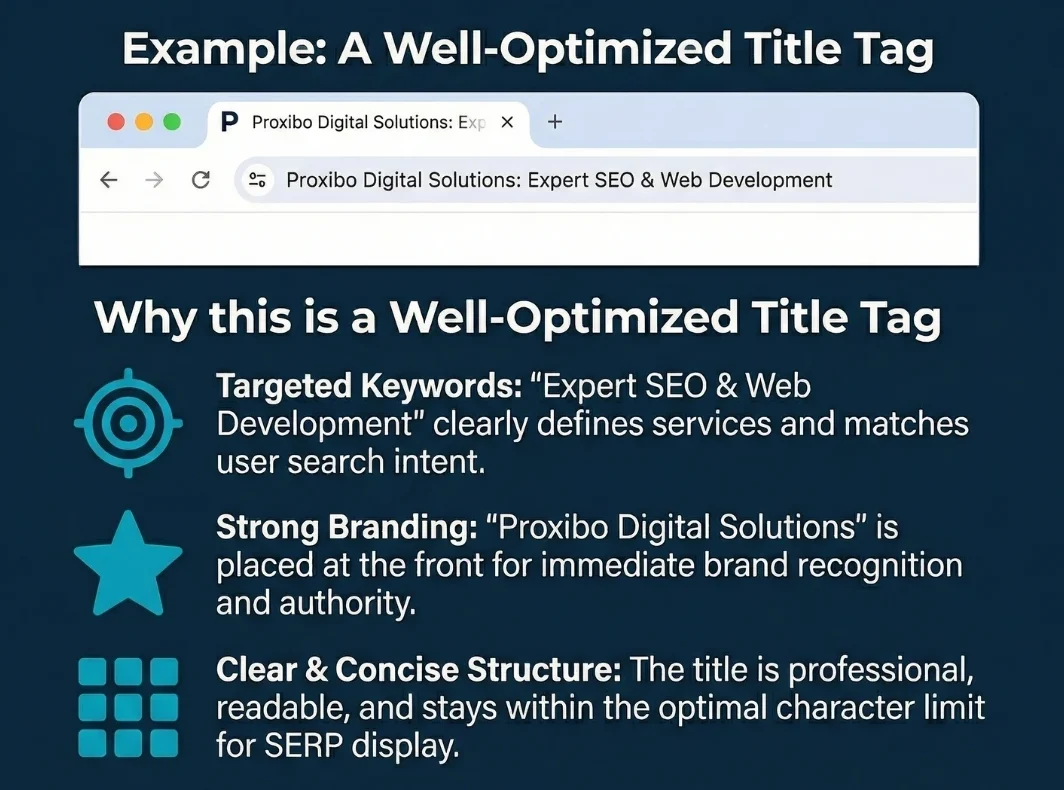
Title tags are visible in Google search results as the main blue clickable link. This is the first thing people see when they search for products, services, or information. A compelling title tag increases the chances that people will click on the website link.
Browser tabs display title tags at the top of the screen. When someone opens multiple tabs, these titles help them identify which tab contains which website. Social media platforms like Facebook and Twitter also display title tags when users share website links with their friends and followers.

Why Title Tags Directly Impact Google Rankings?
Google uses title tags to understand what each webpage is about. When someone searches for “best coffee makers,” Google scans millions of title tags to find the most relevant pages. Pages with clear, keyword-rich titles have a better chance of ranking higher in search results.
According to a 2024 study by Backlinko analyzing 11.8 million search results, title tags remain one of the top three on-page ranking factors. Pages with optimized titles consistently outperform those with poor or missing titles. This research shows that proper title tag optimization is not optional but essential for SEO services success.
How Title Tags Affect Click-Through Rates?
More clicks signal to Google that the page provides valuable content. This positive user behavior improves rankings further over time. Title tags work as both a ranking factor and a marketing tool that convinces people to choose one result over another.
Optimal Title Tag Length and Character Limits
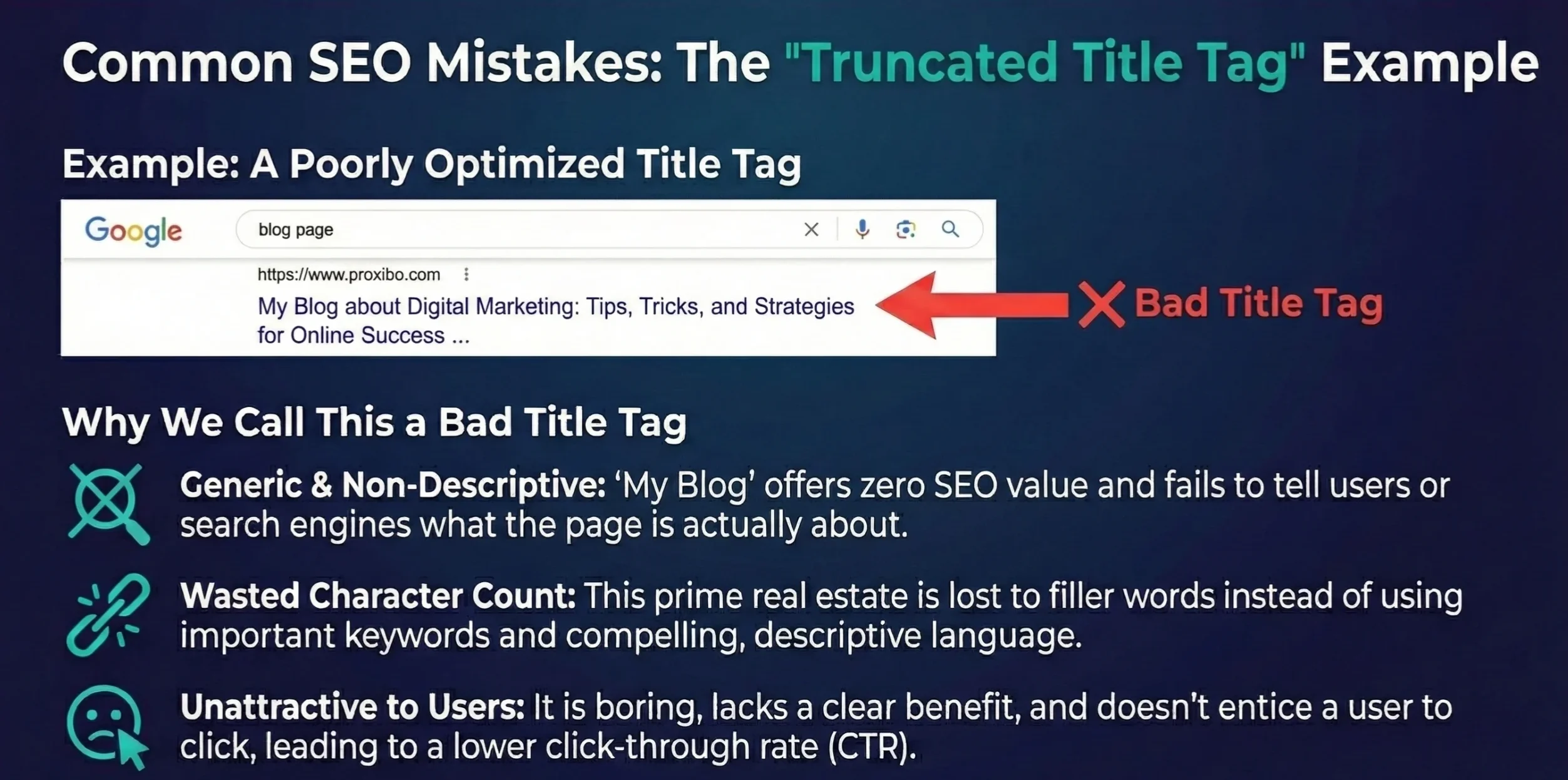
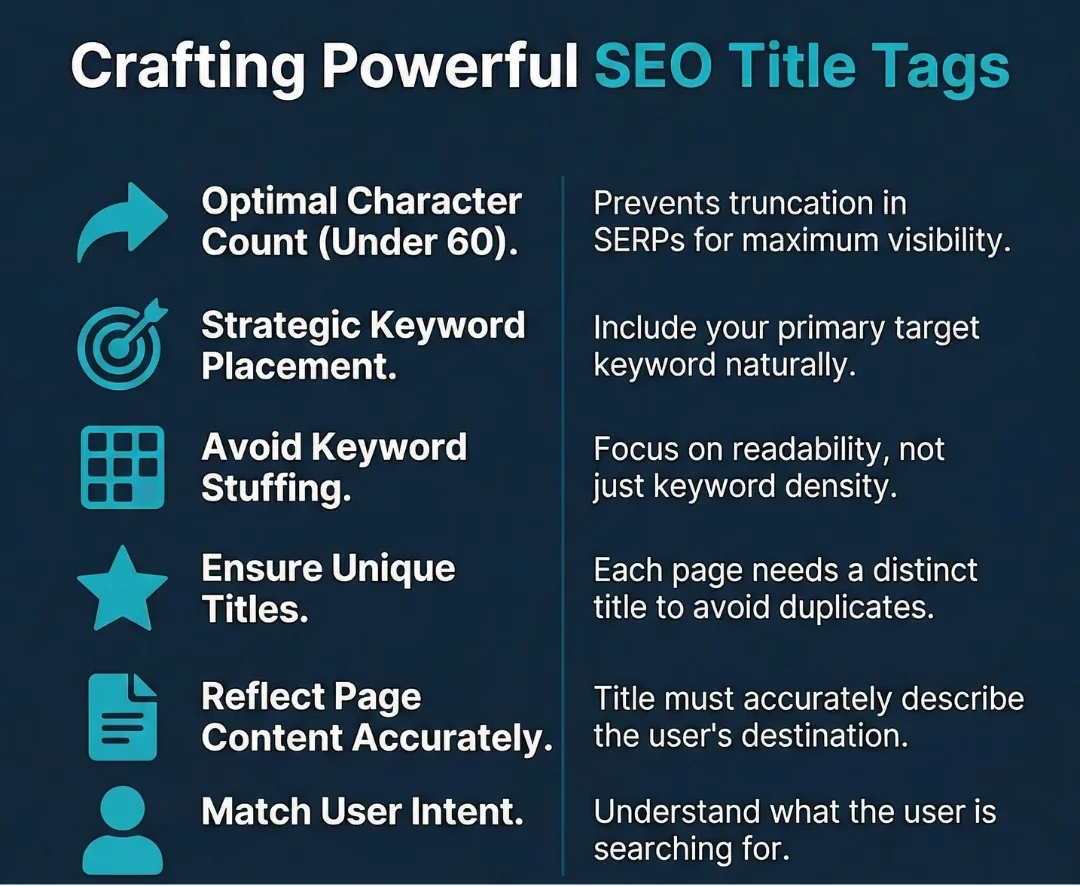
Google displays approximately 50-60 characters of title tags in search results. Anything longer gets cut off with “…” at the end. The ideal title tag length is 50-60 characters to ensure the complete title shows on both desktop and mobile devices.
Mobile screens show even fewer characters, around 55-58. Since over 60% of searches now happen on phones, according to Statista 2024 data, keeping titles shorter ensures they display properly everywhere. A cut-off title looks unprofessional and may reduce click-through rates significantly.
Why Character Count Matters in the Title Tag?
Search engines truncate titles that exceed the character limit. This means the most important information might get cut off if placed at the end. Keeping titles within 50-60 characters ensures the complete message reaches potential visitors.
Title Tag Best Practices for 2026
Place the main keyword near the beginning of the title tag as part of on page SEO. Search engines give more weight to words at the start. “What is a title tag: SEO Guide” works better than “SEO Guide: What is a title tag” for targeting the primary keyword.
Make every title unique across the website as part of a technical SEO audit. Duplicate titles confuse search engines and waste ranking opportunities. Each page should have its own specific, descriptive title that accurately matches its content and targets different search queries.
1. Including Brand Names in Titles
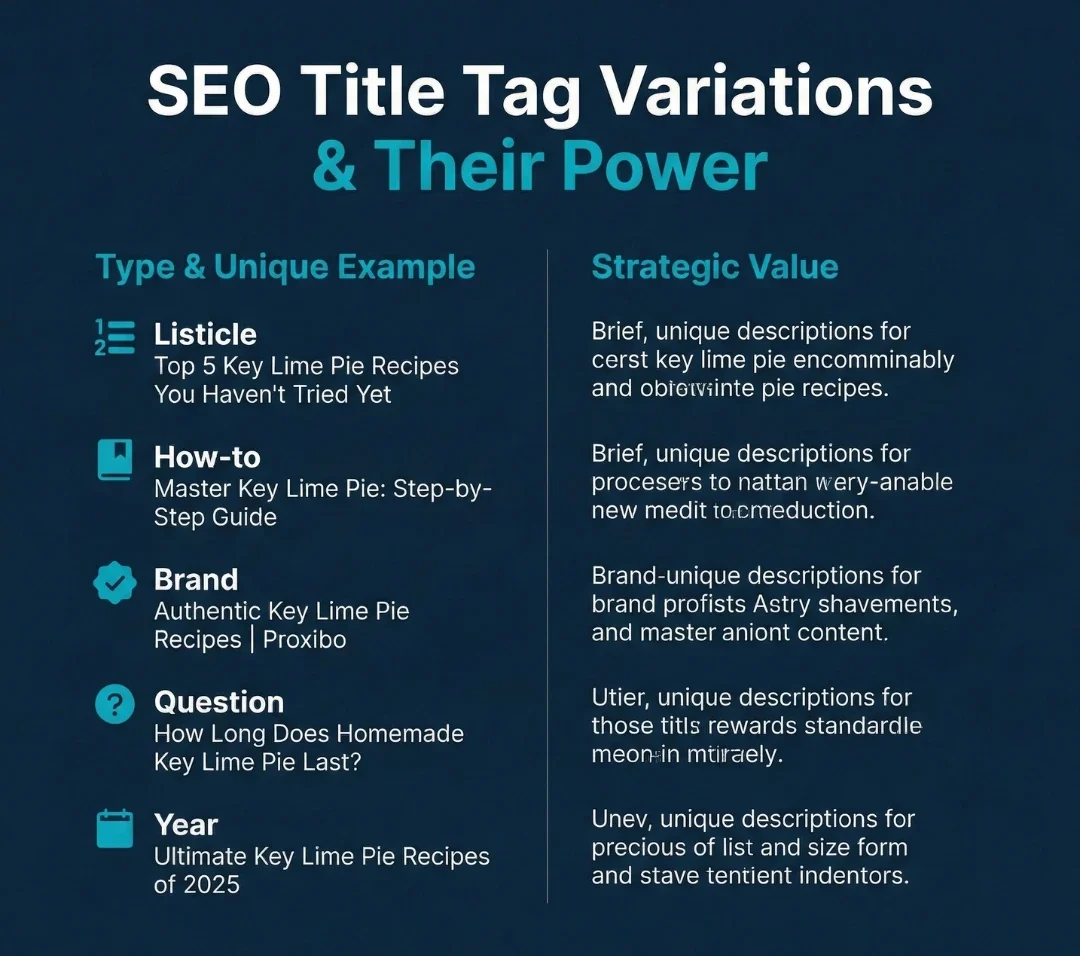
Add the brand name at the end of important pages. Format it like “Main Keyword – Brand Name” to build brand recognition while keeping the focus on keywords. This approach helps with both SEO and brand awareness in search results.
Skip the brand name on less important pages to save character space. Not every page needs branding in the title tag. Product pages, blog posts, and deep content pages can focus entirely on keywords to maximize relevance for specific searches.
2. Avoiding Keyword Stuffing
Never stuff multiple keywords into one title tag. “Best shoes, cheap shoes, running shoes, sports shoes” looks spammy and actually hurts rankings. Google’s algorithm specifically targets this behavior and may penalize websites that practice keyword stuffing.
Use the main keyword once naturally and write for humans, not robots. The title should read smoothly and make sense to people. Natural language always performs better than awkward keyword combinations that prioritize search engines over user experience.
How to Write Perfect SEO Title Tags?
Start by identifying what the page is actually about. A product page selling handmade candles should clearly state that in the title. Clarity beats cleverness in search results because people want to know exactly what they’ll find before clicking.
Research what people actually search for using Google’s autocomplete feature. Type the main topic and review the suggestions that appear. These are real search queries from real people, and including these natural phrases in titles improves relevance and rankings.
What Are Title Tag Examples by Industry?
E-commerce: “Men’s Running Shoes – Free Shipping | Brand Name” This title tag example includes the product, a benefit, and brand credibility. It stays under 60 characters and tells shoppers exactly what to expect when they click through to the product page.
Local Business: “Best Pizza in Mumbai | Fresh Ingredients Daily” Local businesses need location keywords prominently featured. This title targets people searching for pizza in Mumbai specifically. The benefit “fresh ingredients daily” provides an additional reason to choose this restaurant over competitors.
Conclusion
What is a title tag? It’s one of the most important on-page SEO elements website owners can control. A properly written title tag attracts more visitors, improves Google rankings, and helps users quickly find what they need on your website. Working with an experienced digital marketing agency ensures your title tags are optimized correctly as part of a complete SEO strategy.
The ideal title tag length is 50–60 characters. Use the title tag examples from this guide to create effective titles for different page types. Start with the most important pages and systematically optimize the rest of your site. If you need expert assistance, contact the Proxibo team for professional SEO support and measurable results.
Frequently Asked Question
Title tags show up as the blue clickable text in Google search results. They also appear in browser tabs at the top of the screen and in social media posts when people share website links.
Title tags appear in search results and browser tabs, while H1 tags are the main heading visitors see on the actual webpage. Title tags primarily help with SEO and clicks, while H1s organize content for readers.
No, every page should have a unique title tag. Duplicate titles confuse search engines about which page to rank for specific keywords.
ABOUT THE AUTHOR

Related Posts