

How to Access Perplexity Pro Free (Trials, Credits, or Workarounds)

Perplexity Pro is currently available for free access through multiple legitimate channels, and you may qualify for at least one of them without even realizing it.
Searching “how to access Perplexity Pro free” reveals these working methods. The premium subscription normally costs $200 annually (approximately ₹17,000 in India), but several partnerships and promotions offer it for free for up to 12 months.
Let me walk you through every real way to get Perplexity Pro without spending money, based on what’s actually working in 2026.
How To Get Perplexity Pro Free in India
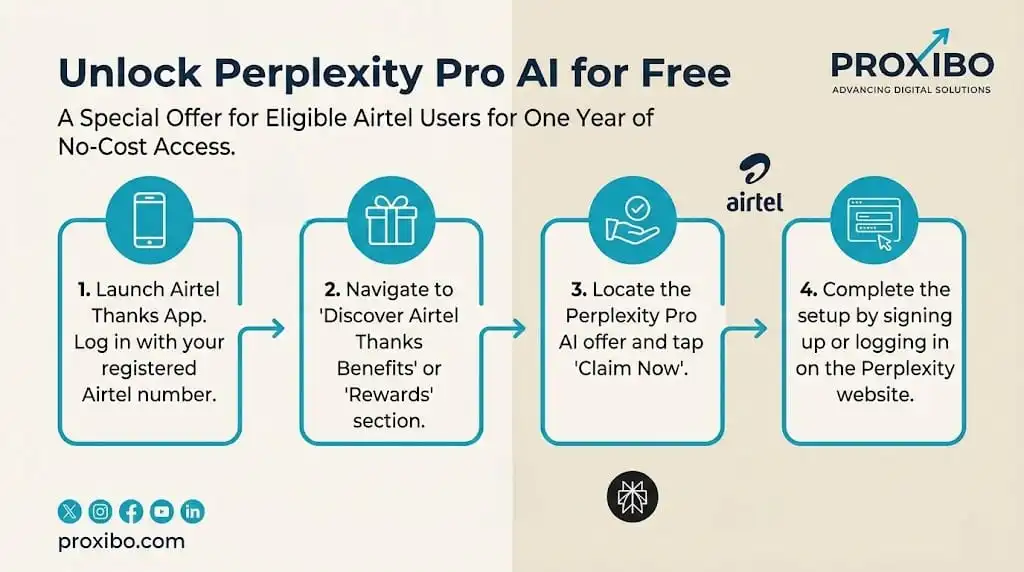
1. The Airtel Method
This works for all Airtel services, mobile (prepaid and postpaid), broadband, and even DTH users. Basically, if you have any active Airtel connection, you qualify.
Here’s how to claim it:
Download the Airtel Thanks app from your phone’s app store if you don’t have it already. Sign in using your registered Airtel mobile number.
Look for the “Rewards” or “Benefits” section in the app. You’ll see a tile or banner for the Perplexity Pro offer prominently displayed.
Tap “Claim Now” and the app will redirect you to Perplexity’s website with your promo code automatically applied.
Sign in to your existing Perplexity account or create a new one using Google, Apple, or email. Make sure you use the same email throughout the process.
Once you’re logged in, your account instantly upgrades to Pro. You’ll see “Airtel | Perplexity Pro” displayed on your account homepage.
The offer runs from July 17, 2025, through January 16, 2026, so you have time to claim it. Your 12-month subscription starts the day you activate it, not when you claim it in the app. For more details about Airtel’s digital partnerships, check Airtel’s official newsroom.
2. PayPal and Venmo Users Get 12 Months Free
The requirements are simple: You need a PayPal or Venmo account that existed before September 1, 2025. Accounts created after September 1 must wait 30 days before Pro features activate. This restriction helps prevent people from creating fake accounts just to grab the offer.
Steps to activate:
- Open your PayPal or Venmo app and look for the “Promotions” or “Offers” section in the menu.
- Find the Perplexity Pro banner and tap it. The offer should be clearly visible if you’re eligible.
- Sign in to Perplexity using the same email address linked to your PayPal or Venmo account. This matching email is crucial because using different emails causes the activation to fail.
- Approve the account linking through PayPal’s authentication system when prompted.
- Once linked, your Pro subscription activates instantly, and you’ll receive a confirmation email.
3. Student Access Through the Education Program
The verification process:
- Visit the Perplexity Education page and click “Verify student status.” This redirects you to SheerID’s verification portal.
- Enter your details, including name, country, university or school name, birthdate, and your official student email address (the one ending in .edu or your school’s domain).
- Click “Verify My Student Status“ and wait for confirmation. Most verifications are complete within minutes, though some schools require manual review.
- Once verified, your Perplexity account automatically upgrades to Pro (Education) at no cost.
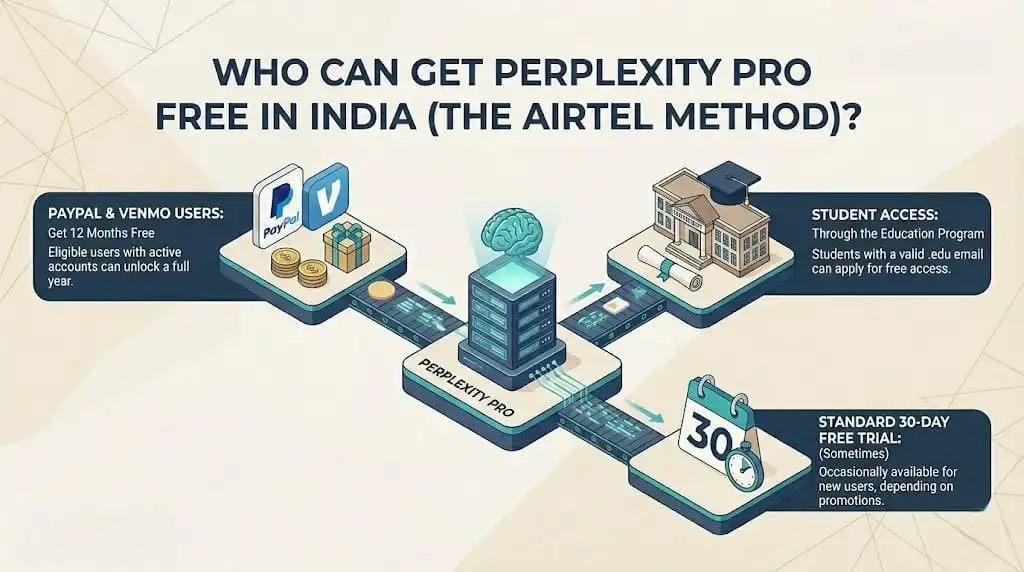
The Standard 30-Day Free Trial (Sometimes)
Perplexity occasionally offers a 30-day free trial to new users, though this isn’t consistently available to everyone. When Perplexity detects a fresh signup or an inactive user logging back in, it occasionally surfaces a banner labeled “Try Pro for 30 days, no card required.
Final Thoughts on Getting Perplexity Pro Free
ABOUT THE AUTHOR

Related Posts