Crawling and Indexing Problems: How to Fix Them and Get Google to Rank Your Pages

You’ve published great content, and you optimized your keywords. But when you search for your pages on Google, they’re nowhere to be found.
Many website owners in India and across the globe face crawling and indexing problems that stop search engines from finding and ranking their pages. The good news? Most of these issues have simple fixes—especially when addressed through professional technical SEO services that focus on proper crawling, indexing, and site structure.
Research shows that roughly 96.55% of all web pages get zero organic traffic from Google. While poor content quality explains some of this, crawling and indexing problems are often the real culprits.
This guide will help you understand these issues. You’ll learn how to spot them and fix them quickly.
What is Crawling and Indexing in SEO?
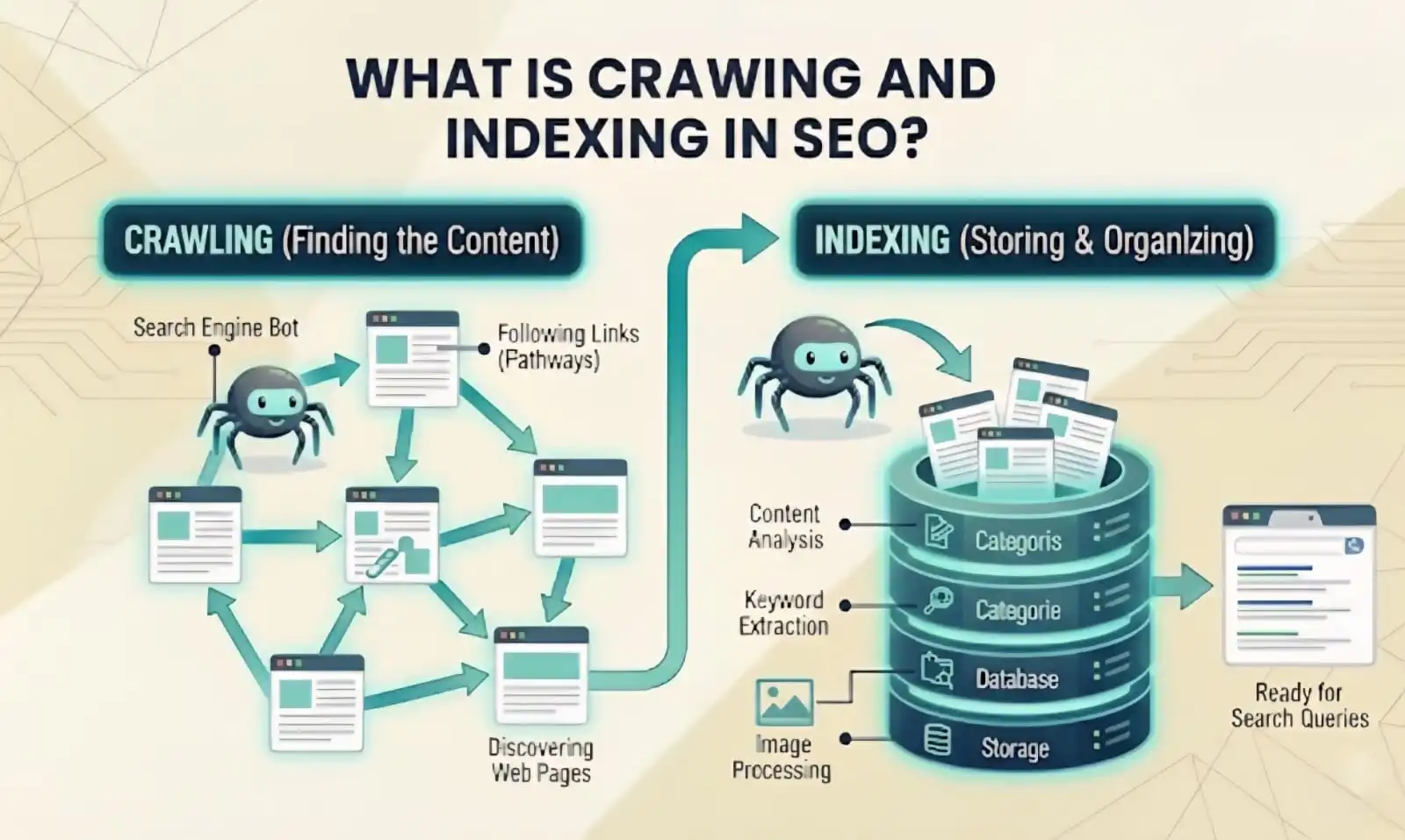
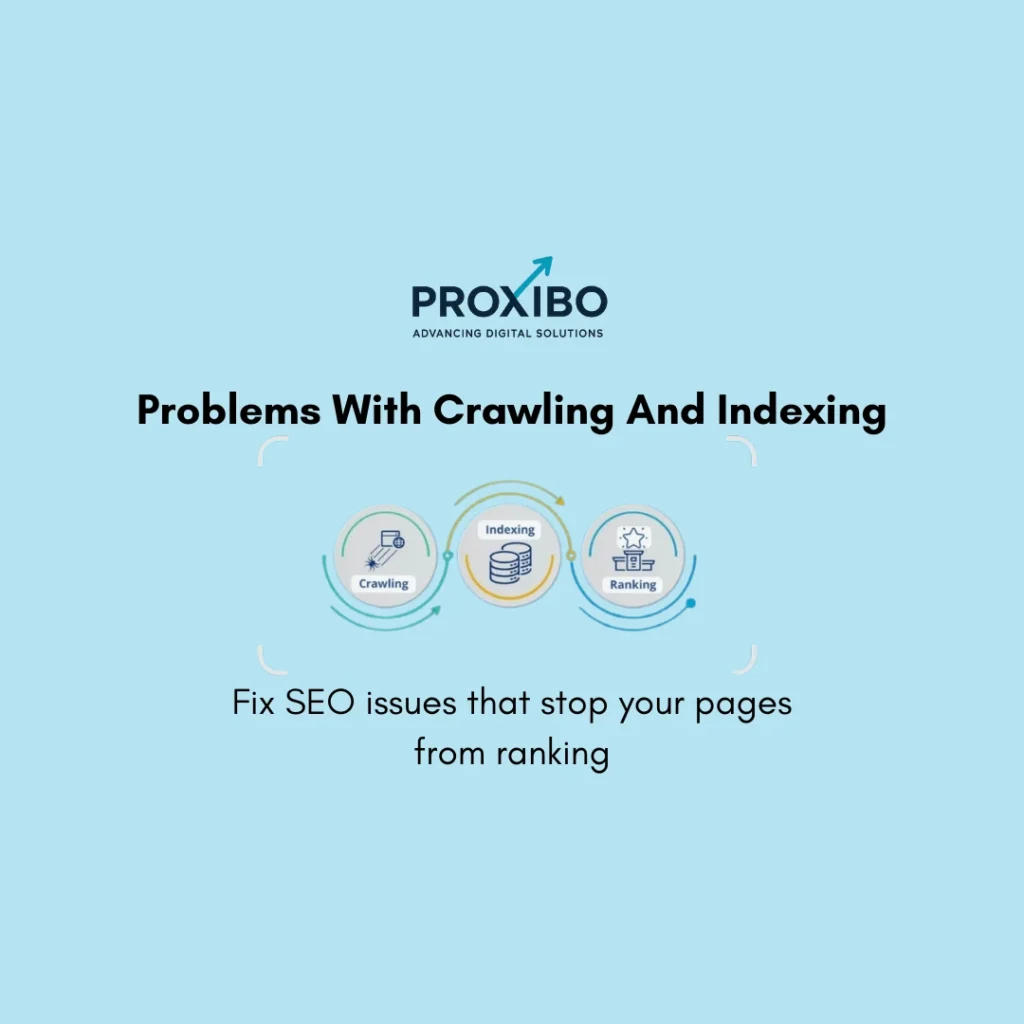
Crawling and indexing are two different steps Google takes before your pages can appear in search results. Think of crawling like a librarian walking through a library to see what books are on the shelves.
Google sends out programs called crawlers (or spiders or bots) that visit websites, read the content, and follow links to discover new pages.
Indexing happens after crawling. Once Google’s crawler reads your page, Google decides whether to add it to its massive database called the index.
Why Do These Problems Seriously Affect Your Business?
Crawling and indexing problems create a chain reaction of bad outcomes. Your carefully crafted content becomes completely invisible in search results. No matter how valuable your information is or how perfectly you optimized your keywords, users will never find pages that are not indexed.
Meanwhile, your competitors capture the audience you worked hard to reach. While your pages sit hidden, their properly indexed pages rank and collect traffic. Every day these problems persist, you lose potential customers who search for exactly what you offer but find your competitors instead.
The Most Common Crawling and Indexing Problems
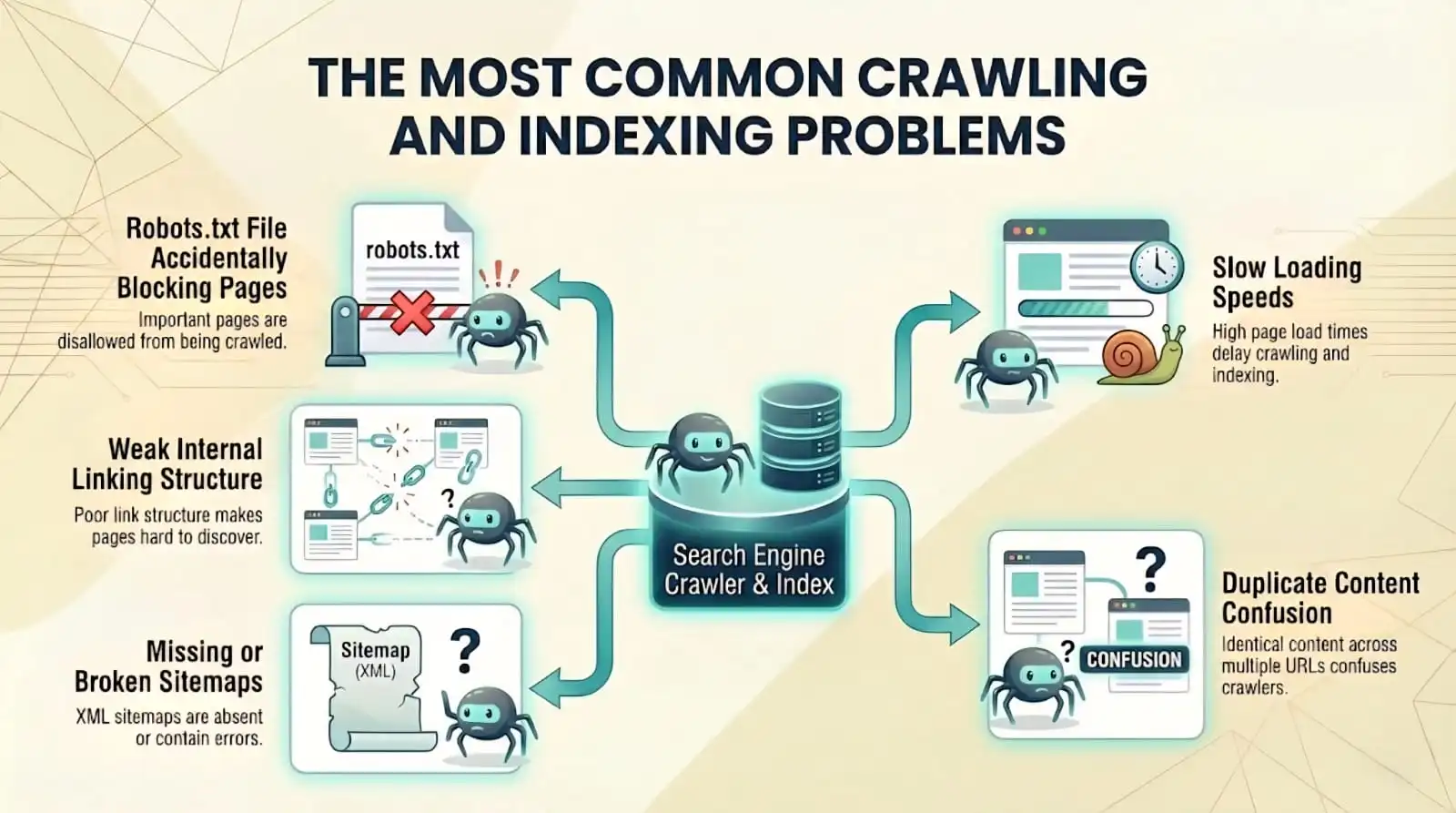
1. Robots.txt File Accidentally Blocking Pages
Your robots.txt file sits in your website’s root directory and tells search engines which pages they can and cannot crawl. This file serves an important purpose; it keeps crawlers away from admin pages, duplicate content, and other stuff you do not want indexed. But one wrong line in this file can block your entire website from Google.
2. Weak Internal Linking Structure
Google discovers most pages by following links from pages it already knows about. If a page has no internal links pointing to it from anywhere else on your site, Google might never find it. These isolated pages are called orphan pages, and they rarely get indexed.
3. Missing or Broken Sitemaps
A sitemap is an XML file that lists all the important pages on your website. It guides Google to your content, especially pages that might be hard to find through normal crawling. Without a sitemap, Google has to discover everything through links, which takes longer and might miss pages completely.
4. Slow Loading Speeds
Google has limited time and resources to crawl each website. This limit is called your crawl budget. If your pages load slowly, Google can crawl fewer pages in the time it allocates to your site. This means some pages might not get crawled at all, especially on larger websites.
5. Duplicate Content Confusion
When multiple pages on your site have the same or very similar content, Google gets confused about which version to index and rank. This commonly happens with e-commerce sites that have multiple URLs for the same product, or blogs that accidentally create duplicate pages through tags and categories.
How to Find Out If You Have These Problems?
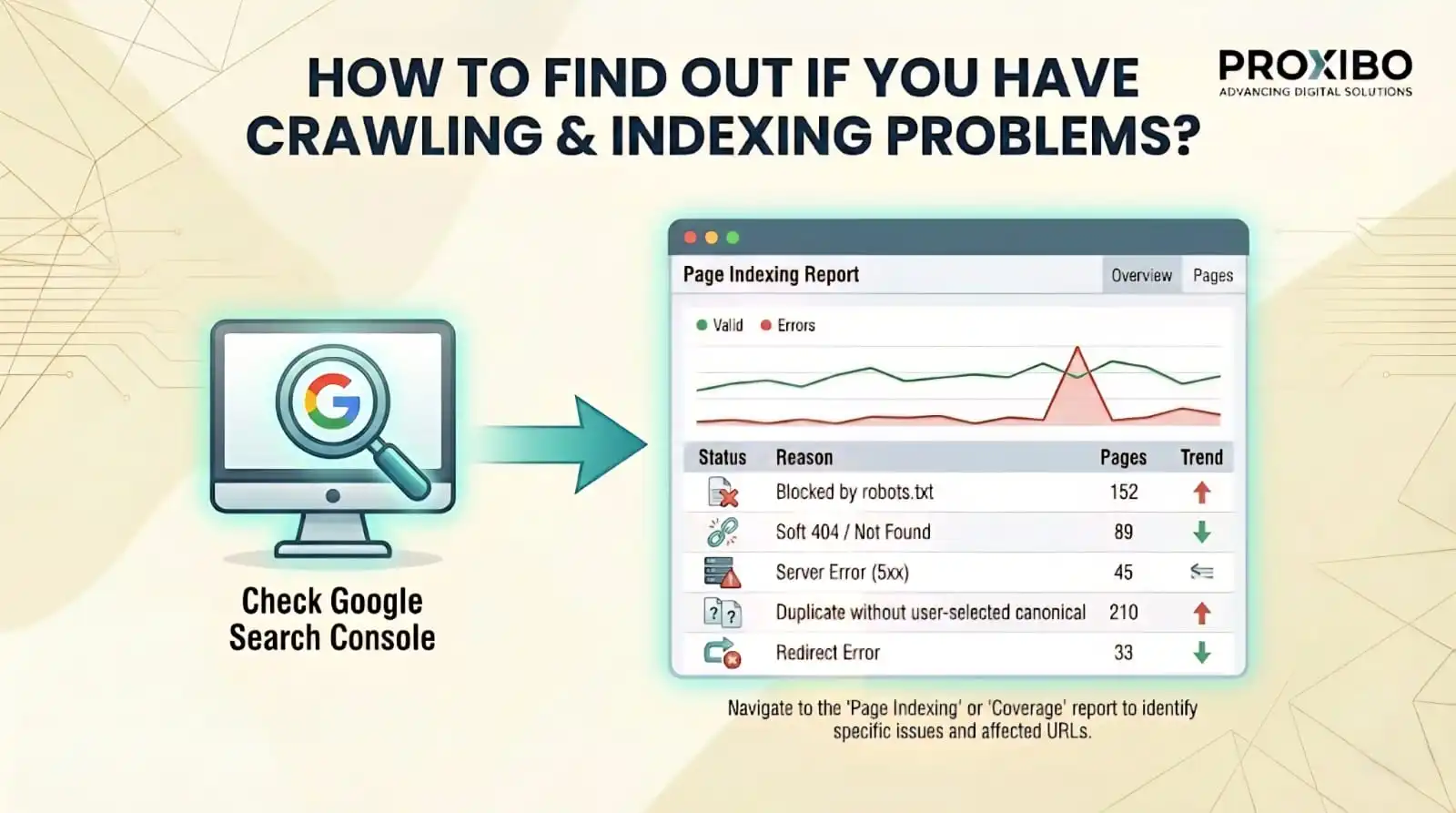
1. Check Google Search Console
Google Search Console is a free tool that shows exactly what Google sees when it crawls your site. The Coverage report tells you which pages are indexed, which have errors, and why pages are not getting indexed. Errors show up in red and need immediate attention.
The Crawl Stats section shows how often Google visits your site and if it encounters problems. Sudden drops in crawl rate can signal issues that need investigation.
2. Run a Site Search
Type “site:yourwebsite.com” directly into Google search (replace yourwebsite.com with your actual domain). This shows how many pages Google has indexed from your site. Compare this number to how many pages you actually have. A big difference means many pages are not getting indexed.
3. Test Individual URLs
The URL Inspection tool in Google Search Console lets you check specific pages. Enter any URL, and it tells you if Google can crawl it, if it is indexed, and if there are any problems. This helps when you know a specific page is not showing up in search results.
Fixing Crawling and Indexing Problems Step by Step
1. Fix Your Robots.txt File
Visit yourwebsite.com/robots.txt to see your current file. Look for any “Disallow” rules that might be blocking important content. Remove blocks on pages you want indexed. Keep blocks only for admin areas, search result pages, or duplicate content. According to Ahrefs, fixing robots.txt issues often leads to quick indexing improvements.
Common robots.txt mistakes to fix:
- “Disallow: /” blocks your entire site – remove this unless the site is still under development
- Blocking CSS or JavaScript files prevents Google from seeing your pages properly
- Blocking specific folders that contain important content you want ranked
2. Build Strong Internal Links
Best practices for internal linking:
- Use descriptive anchor text that tells Google what the linked page is about
- Link to relevant content within your blog posts and articles
- Create hub pages that link to related content clusters
- Fix orphan pages by adding links to them from relevant existing content
3. Create and Submit a Proper Sitemap
Generate an XML sitemap that includes all pages you want indexed as part of a technical SEO audit. Most website platforms and content management systems can create sitemaps automatically. WordPress has plugins like Yoast SEO or Rank Math that handle this, while other platforms have similar tools or built-in sitemap generation.
Your sitemap should only include canonical URLs (the main version of each page, not duplicates), pages that return a 200 status code (working pages, not broken ones), and pages you actually want in search results.
Submit your sitemap through Google Search Console. Go to the Sitemaps section, enter your sitemap URL (usually yourwebsite.com/sitemap.xml), and click submit. Google will start using it to discover and crawl your pages more efficiently.
4. Speed Up Your Website
Faster pages get crawled more efficiently. Focus on these high-impact speed improvements:
- Compress all images before uploading – tools like TinyPNG reduce file sizes by 70% without visible quality loss
- Enable browser caching so returning visitors load pages faster
- Minify CSS and JavaScript files to remove unnecessary code
- Use a content delivery network (CDN) to serve files from servers close to your visitors.
5. Handle Duplicate Content
To avoid crawling issues, use canonical tags to tell Google which version of similar pages should be treated as the primary one. Add a canonical tag in the head section of duplicate or similar pages that points to the preferred URL. This helps search engines crawl your site correctly, prevents confusion, and consolidates ranking signals to the chosen page.
Set up 301 redirects from duplicate URLs to the main version when possible. This is cleaner than canonical tags because it combines everything into one URL.
Keeping Your Site Crawlable and Indexed
Check Google Search Console weekly. Look at the Coverage report for new errors. The sooner you spot problems, the less damage they cause. Set up email alerts in Search Console so Google notifies you automatically when critical issues app ear.
Run a site search monthly to verify your indexed page count stays consistent with your actual page count. Sudden drops indicate something went wrong that needs investigation.
Test new pages after publishing them. Use the URL Inspection tool to check if Google can crawl and index them. If problems appear, you can fix them immediately instead of wondering weeks later why the page never ranked.
Getting Your Pages Ranked Starts With Getting Them Indexed
Crawling ands indexingproblemcan hide your best content from the people searching for it. But these issues have clear solutions that most site owners can implement themselves.
Check your robots.txt file, build strong internal links, create and submit a proper sitemap, speed up your pages, and fix duplicate content issues. Once Google can properly crawl and index your website, your content finally reaches the audience you created it for.
Your rankings improve because Google can actually see and evaluate your pages. Your traffic increases because people can find you in search results. Your business grows as those visitors turn into customers. Partnering with an experienced digital marketing company helps you accelerate these results—and if you’re ready to grow, contact us now to get started.
Frequently Asked Question
Google might not index new pages for several reasons. Your robots.txt file could be blocking them. The pages might have noindex tags or lack internal links.
Indexing time varies from a few hours to several weeks. It depends on your website's crawl budget, site authority, and how well you've implemented crawling and indexing in SEO best practices.
Technical SEO performance issues can be fixed by improving site speed, resolving crawl and index errors, optimizing mobile usability, and fixing technical issues that block search engines from accessing your pages properly.
ABOUT THE AUTHOR

Related Posts